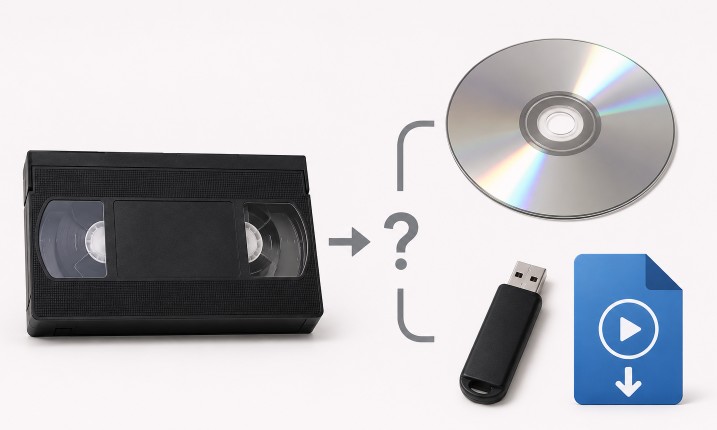
DVD vs MP4 is one of the most common questions customers ask when converting old video tapes. Many people are used to DVDs, but MP4 digital files are usually the better choice for long-term storage, sharing, and everyday viewing. DVDs can still be useful for some customers, especially if they like using a DVD player. But if your goal is to preserve old memories, watch videos on modern devices, and easily share copies with family, MP4 is usually the more convenient option. At Quick Digitals, we can convert old video tapes and DVDs to digital files, and we can also provide DVD copies if needed.
What Is an MP4 File?
An MP4 is a digital video file. It can be saved on a USB drive, computer, external hard drive, phone, tablet, or cloud storage account. MP4 files are popular because they work on many modern devices, including:- Windows computers
- Mac computers
- iPhones and iPads
- Android phones and tablets
- Smart TVs
- USB drives
- Cloud storage services
What Is a DVD?
A DVD is a physical disc that usually plays in a DVD player, computer disc drive, or some game consoles. DVDs were a major upgrade from VHS tapes, but they are now becoming less convenient because many modern computers no longer include DVD drives. Many newer laptops, tablets, and phones cannot play DVDs without extra equipment. DVDs can still be useful, but they are not as flexible as digital video files.Why MP4 Is Usually Better Than DVD
For most customers, MP4 is better than DVD because it is easier to use with modern technology. MP4 files can be:- Copied to another drive
- Saved on a computer
- Uploaded to cloud storage
- Shared with family by download link
- Played on phones, tablets, and smart TVs
- Backed up in multiple places
- Edited with video software
MP4 Files Are Easier to Share With Family
One of the biggest benefits of MP4 files is that they are easy to share. If you convert old tapes to MP4, you can send copies to family members, upload them to cloud storage, save them to multiple USB drives, or keep them on your computer. This is especially useful for family videos, weddings, birthdays, vacations, school events, and recordings of loved ones. Instead of having one DVD that only one person can watch, the video can be copied and shared with multiple people.MP4 Files Are Easier to Back Up
Old tapes and DVDs are physical items. They can be scratched, lost, cracked, damaged, or misplaced. MP4 files are easier to back up because you can store them in more than one place. For example, you can keep one copy on a USB drive, another copy on your computer, and another copy in cloud storage. This gives your memories more protection than relying on only one physical disc.When DVD Might Still Be a Good Choice
DVDs are not useless. Some customers still prefer them. A DVD may be a good choice if:- You like watching videos on a DVD player.
- You are giving a copy to someone who prefers DVDs.
- You want a simple physical disc copy.
- You do not use computers or cloud storage often.
Can DVDs Be Converted to MP4?
Yes. If you already have old DVDs, they can often be converted to MP4 digital files. This is helpful if you have family videos, old tape transfers, event videos, or home movies that were previously put on DVD. Converting the DVD to MP4 makes the video easier to save, share, and watch on modern devices. However, commercial copyrighted DVDs may have restrictions, and not every disc can be copied or converted. The disc condition also matters. Scratched or damaged DVDs may be harder to read.Can Old Video Tapes Be Converted to MP4?
Yes. Old video tapes can be converted directly to MP4 files. This includes many common formats such as:- VHS
- VHS-C
- 8mm camcorder tapes
- Hi8
- Digital8
- MiniDV
- Betamax
DVD vs MP4: Which Should You Choose?
If you want the easiest format for modern use, choose MP4. MP4 is usually better for:- Long-term storage
- Sharing with family
- Watching on phones, computers, tablets, and smart TVs
- Uploading to cloud storage
- Making backup copies
- Editing or organizing videos