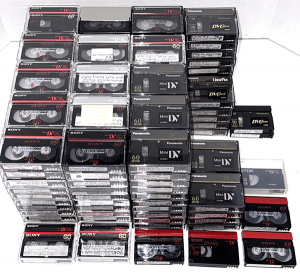
MiniDV tapes do not last forever. Even though MiniDV is a digital tape format, the video is still stored on a small magnetic tape inside the cassette. Over time, that tape can deteriorate from age, humidity, heat, mold, storage conditions, and normal wear. Many MiniDV tapes were recorded in the late 1990s and early 2000s. That means many of these tapes are now old enough to have playback problems, equipment issues, or age-related deterioration. If your MiniDV tapes contain family memories, weddings, birthdays, vacations, school events, holidays, business footage, or recordings of loved ones, digitizing them sooner gives you a better chance of preserving the footage before the tapes or playback equipment become harder to use.
How Long Do MiniDV Tapes Usually Last?
MiniDV tapes can often last around 10 to 20 years or more, depending on the tape quality, how often they were played, and how they were stored. Some MiniDV tapes may last longer if they were stored in a cool, dry, stable indoor environment. Other tapes may start having problems much sooner if they were stored in a garage, attic, basement, shed, car, or storage unit. The problem is that MiniDV tapes do not always show damage from the outside. A tape can look normal in its small cassette shell while the magnetic tape inside is aging, weakening, or becoming harder to play safely.MiniDV Is Digital, But It Is Still Tape
One confusing thing about MiniDV is that it is a digital video format, but it is still recorded on magnetic tape. That means MiniDV tapes can still have physical tape problems. The video may be digital, but the cassette can still age, the tape can still wear down, and the camcorder or deck still has to physically pull the tape through the playback mechanism. When MiniDV tapes start having problems, the video may show dropouts, glitches, blocky sections, frozen frames, audio problems, or sections that will not capture correctly.Why MiniDV Tapes Deteriorate Over Time
MiniDV tapes use very small, delicate magnetic tape. Because the cassette is compact, the tape path is more sensitive than larger formats such as VHS. As MiniDV tapes deteriorate, you may notice problems such as:- Digital glitches or blocky video
- Frozen frames
- Audio dropouts
- Sections that will not capture properly
- Tape sticking, dragging, or stopping
- The camcorder showing errors
- The tape refusing to play, rewind, or fast-forward
Storage Conditions Matter
Where your MiniDV tapes were stored can make a major difference in how long they last. MiniDV tapes usually last longer when stored indoors in a cool, dry, stable environment. They are more likely to deteriorate if exposed to heat, moisture, humidity, dust, sunlight, or major temperature swings. Risky storage places include:- Garages
- Attics
- Basements
- Storage units
- Sheds
- Cars
- Damp closets
- Hot rooms or areas near windows
Humidity and Mold Can Damage MiniDV Tapes
Humidity is one of the biggest risks for MiniDV tapes. Damp storage conditions can lead to mold growth or tape deterioration. Because MiniDV tapes are small and delicate, mold or moisture problems can be especially difficult to deal with. A moldy or unstable MiniDV tape may be harder to clean, repair, or safely transfer than a larger tape format. If a MiniDV tape has mold, avoid repeatedly playing it. Mold can damage the tape and contaminate playback equipment. If the mold is not too severe, careful digitizing may still be possible. But if the tape coating starts shedding, sticking, or coming apart, recovery becomes much harder.Heat Can Also Shorten the Life of MiniDV Tapes
Heat can be hard on old MiniDV tapes and camcorder equipment. A MiniDV tape stored in a hot attic, garage, car, or storage unit can be exposed to temperatures much higher than a normal indoor room. Over time, heat can affect the cassette shell, tape tension, and the magnetic tape inside. Heat-related problems can include:- Tape sticking or dragging
- Playback errors
- Digital dropouts
- Glitches during capture
- Audio problems
- The camcorder having trouble playing the tape
MiniDV Playback Equipment Is Becoming Harder to Find
One of the biggest problems with MiniDV tapes is that they require working MiniDV playback equipment. You usually need a MiniDV camcorder or MiniDV deck to transfer the tape correctly. Many modern computers no longer have the connections needed for MiniDV capture, and many old camcorders no longer work properly. Even if your tape is still playable, you still need the correct equipment to access it. If the camcorder has dirty heads, mechanical problems, bad output, or connection issues, the tape may not transfer correctly. This is one of the main reasons to digitize MiniDV tapes now instead of waiting.FireWire and MiniDV Transfer Problems
Many MiniDV transfers require a proper capture setup, often using FireWire, also called IEEE 1394 or i.LINK on some camcorders. This can be a problem because many newer computers do not include FireWire ports. USB usually does not work the same way for true MiniDV tape capture on many camcorders. Because of this, customers may have tapes that are still playable but no easy way to transfer them at home.Signs a MiniDV Tape May Be Going Bad
You may not know a MiniDV tape is deteriorating until you try to play or transfer it. But there are warning signs that the tape may be at risk. Signs of MiniDV tape deterioration may include:- Blocky video or digital glitches
- Frozen frames
- Audio dropouts
- Sections that will not capture correctly
- Playback errors on the camcorder
- The tape stopping, dragging, or refusing to play
- A musty smell
- Visible mold or dust inside the cassette
- The camcorder having trouble rewinding or fast-forwarding the tape
Can Old MiniDV Tapes Still Be Saved?
In many cases, yes. An old MiniDV tape may still be digitized if the tape is playable and the damage is not too severe. The result depends on the condition of the tape and the equipment used to capture it. Some MiniDV tapes transfer well. Some may have minor glitches. Others may have damaged sections, dropouts, or playback problems. At Quick Digitals, we offer careful in-house digitizing and can work with MiniDV tapes when the tape condition allows it. Not every damaged MiniDV tape can be saved, but the sooner the tape is handled, the better the chance of preserving what is on it.Does This Only Apply to MiniDV Tapes?
No. MiniDV tapes are one common camcorder format, but other tape formats can also deteriorate over time. The same general risks can affect:- VHS tapes
- VHS-C tapes
- Video8 tapes
- 8mm camcorder tapes
- Hi8 tapes
- Digital8 tapes
- Audio cassettes
How to Store MiniDV Tapes More Safely
If you are not ready to digitize your MiniDV tapes immediately, better storage can help reduce future damage. Store MiniDV tapes in a cool, dry, stable indoor room. Keep them away from heat, humidity, direct sunlight, dust, and moisture. Helpful storage tips include:- Keep tapes indoors, not in a garage or attic
- Store tapes upright in their cases
- Avoid damp basements and hot storage units
- Keep tapes away from windows and heaters
- Do not leave tapes in a car
- Keep tapes away from moisture and mold
- Avoid repeatedly playing tapes that show signs of damage
Why Digitizing MiniDV Tapes Matters
Digitizing MiniDV tapes turns the video into digital files that are easier to watch, save, share, and back up. Once converted, your videos can be saved on a USB drive, computer, external hard drive, or cloud storage. You can also share copies with family instead of relying on one aging tape and old playback equipment. Digitizing helps protect your memories before:- The tape becomes too damaged to play
- Mold or humidity damage gets worse
- Heat causes more deterioration
- Compatible MiniDV camcorders become harder to find
- The recording becomes impossible to fully recover